Listen to any PDF, read aloud
Reports, papers, manuals, ebooks — turn the PDFs you'll never sit down to read into something you can listen to anywhere.
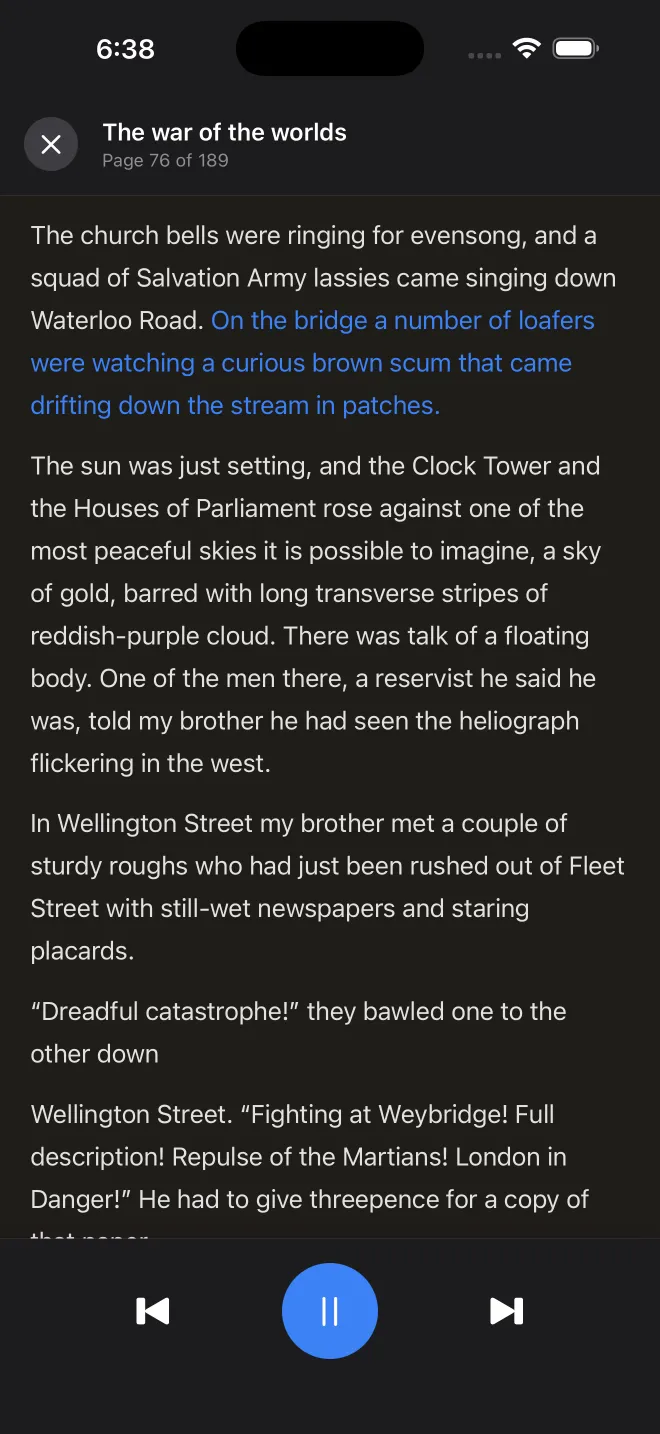
PDFs were designed for paper, not for squinting at a phone screen. That's why so many of the documents we save — research papers, reports, manuals, novels — end up unread. VocaRead fixes that by reading your PDFs aloud with a natural AI voice. Instead of pinching and scrolling, you listen on your commute, at the gym, or with your eyes closed, while the current line is highlighted on screen.
Smart enough for messy PDFs
Reading a PDF aloud well is harder than it looks. VocaRead's extraction engine detects chapters, repairs words split across lines, normalises typographic ligatures, and skips repeating headers and footers — the details that make basic converters stumble. The result is a clean, continuous read, whether it's a dense academic paper or a 300-page report.
Private, offline, and effortless
Your documents never leave your device: the voice is generated on your iPhone, so confidential reports and personal files stay completely private. Download a voice once and listen with no connection at all. Adjust the speed, follow the highlighted text, and use CarPlay or your Apple Watch to control playback hands-free.
Start listening in 3 steps
Import your PDF
Add a PDF from your files or open one with "Share → VocaRead" from any app.
Pick a voice
Choose a natural voice in your language and download it once for offline use.
Press play
Listen with chapter navigation, line highlighting and full background controls.
Ready to listen to your books?
Download VocaRead free and start listening today.